
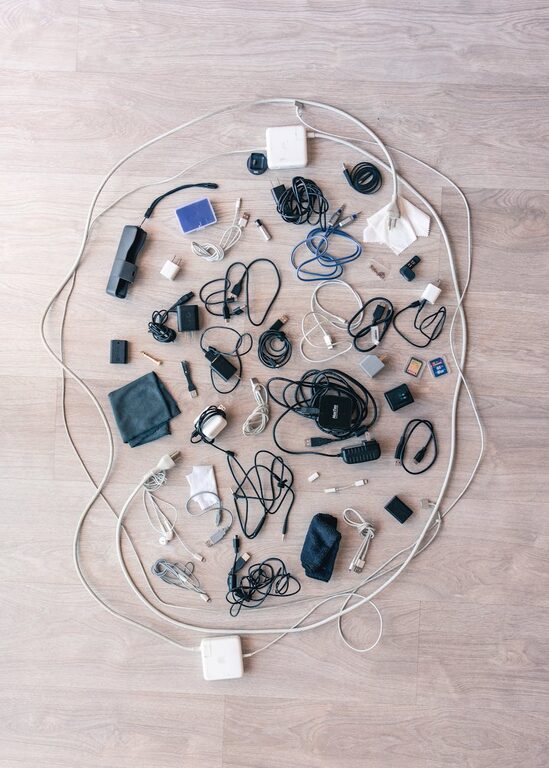
If you’ve ever found yourself tangled in a mess of cables or hunting for the right charger, you’re not alone. With multiple devices around the home or office, cables can quickly become overwhelming and messy. Fortunately, organizing your cables and chargers doesn’t have to be difficult or expensive. With a few simple strategies and tools, you can keep everything neat, accessible, and easy to manage.
Why Organize Cables and Chargers?
Before diving into organizing tips, it’s worth understanding why it’s beneficial to keep cables tidy:
– Prevents Damage: Tangled cables can wear out faster or break.
– Saves Time: Quickly find the right cable or charger without searching.
– Reduces Clutter: A clean space feels more inviting and organized.
– Enhances Safety: Avoid tripping hazards or electrical problems from damaged cables.
Ready to get started? Here are some practical steps and ideas.
Step 1: Gather and Sort Your Cables
Begin by collecting all your cables and chargers in one spot. This may include:
– Phone chargers
– Laptop and tablet power cords
– HDMI, USB, and Ethernet cables
– Audio cords and headphones
– Extension cords and power strips
Sort by Type and Usage
Group cables by their type and how often you use them:
– Daily use (phone, laptop)
– Occasional use (camera, gaming console)
– Rarely used (old devices, extra cables)
This sorting helps you decide how to store them. You might keep daily-use cables nearby and pack away the rest.
Step 2: Label Your Cables
Labeling cables makes identification quick and hassle-free. You can use:
– Pre-made cable labels from office supply stores
– Simple masking tape and a marker
– Color-coded tags or ribbons
Write what the cable is for or which device it belongs to. Label both ends if possible for easy recognition.
Step 3: Coil and Secure Each Cable
Properly coiling cables prevents knots and damage. Try these techniques:
– Over-under method: Reduces twisting and keeps cables running smoothly.
– Simple loop: Coil cables in a circle without tight bends.
Once coiled, use cable ties, Velcro straps, twist ties, or reusable rubber bands to hold them together. Avoid using materials that can cut into cables, like zip ties tightened too much.
Step 4: Choose the Right Storage Solutions
There are plenty of storage options available, depending on how many cables you have and where you want to keep them.
Small Containers and Boxes
– Use clear plastic boxes for visibility.
– Label each box for the cable type or device.
– Adjustable dividers inside boxes help separate cables to avoid tangling.
Drawer Organizers
– Use compartmentalized trays or DIY dividers in drawers to separate cables.
– Keep chargers and adapters together.
Cable Management Boxes
– These containers hide power strips and excess cable length.
– They improve appearance and reduce dust buildup.
Wall-mounted Organizers and Hooks
– Mount hooks or pegs for frequently used cables.
– Use a pegboard system for versatility.
Zip Bags and Pouches
– Store extra cables in labeled zip-lock bags.
– Pouches are great for travel cables.
Step 5: Manage Charging Stations
Create a dedicated charging station to keep cables tidy while in use.
– Use a multi-port USB charger to reduce individual chargers.
– Employ charging stands with cable organizers.
– Secure cables to the desk or wall with clips or adhesive holders.
– Keep devices charging in a neat row to avoid cable crossing.
Step 6: Maintain Your Cable Organization
Keeping your cable system tidy requires routine:
– Periodically review cables for damage or unused items.
– Re-coil and re-label cables when adding new devices.
– Clean storage areas to remove dust and debris.
– Share your system with family or coworkers so everyone stays organized.
Bonus Tips for Cable Organization
– Use empty toilet paper rolls to keep small cables curled and separate.
– Repurpose bread clips as cable labels by writing on them.
– Color code cables by wrapping colored tape at one end.
– Invest in retractable cables for minimal tangling.
– Use cable sleeves or tubing to bundle multiple cables together neatly.
Conclusion
Organizing your cables and chargers doesn’t have to be a daunting task. With these easy-to-follow steps — sorting, labeling, coiling, storing, and maintaining — you can create a system that works for your lifestyle and space. A neat cable setup will save you time and frustration, protect your gear, and keep your environment looking clean and organized.
Start today with what you have, and enjoy the satisfaction of a clutter-free electronic space!
